Developing with Claude Code
One credential, one command, and your agent reads, writes and tests your business's modules from the terminal.
With a credential, Claude Code works inside your business from the terminal: it reads your modules, writes code, migrates the models it wrote and runs the tests. The business that serves your customers is the one you build against.
1. Create a credential
In your back office, Settings → Security → API/MCP credentials → New credential.
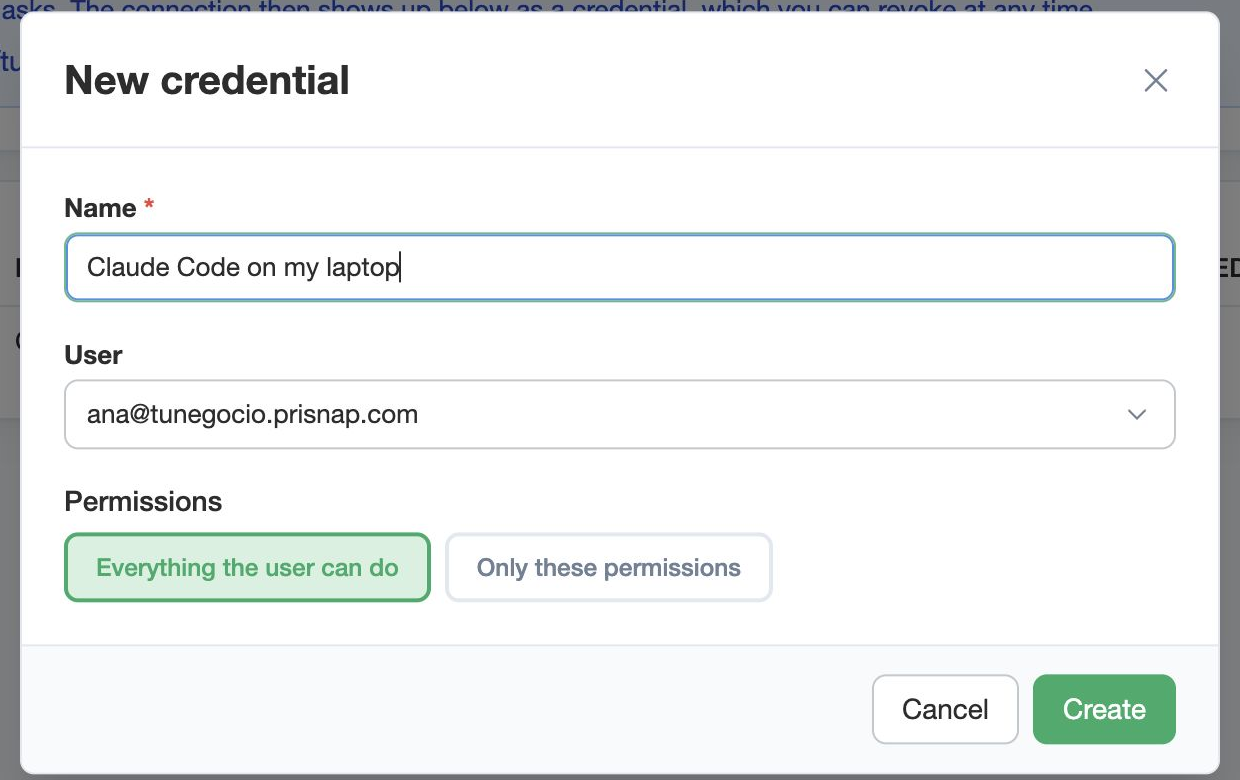
Give it a name you will recognise a year from now, and decide what it may do:
- Everything the user can do — the ordinary case
- Only these permissions — for a narrower credential: every call it makes is judged against that list
2. Paste the command
Creating it shows the token once, with the command already written on the Claude Code tab.
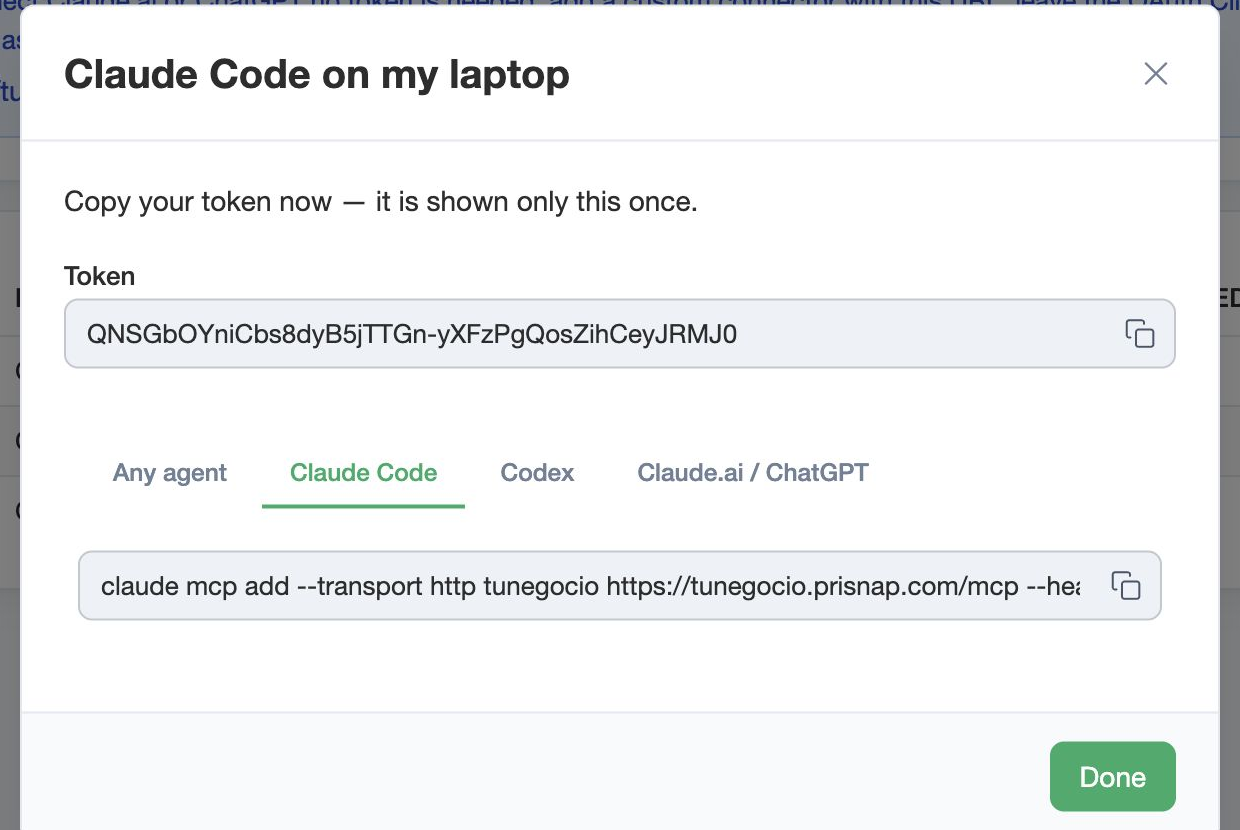
Copy it and paste it in your terminal:
claude mcp add --transport http yourbusiness https://yourbusiness.prisnap.com/mcp \
    --header "Authorization: Bearer <your-token>"
Using another agent? The other tabs carry the same for Codex, plus an instruction any agent can follow.
3. Now you can ask it for things
To operate: what modules are installed, what endpoints each one has and what input they take, run any of them, query your business's own database.
To build:
- Your business's own modules, to read and to write
- The real source of the public modules — bookings, billing, POS — read-only, the worked examples to copy the patterns from
- The widget reference, the design rules and the API your server code compiles against
- Your business's log, with full error traces
What it writes is checked on the spot: type-checked and rule-checked as it saves, migrate materialises the models, run_tests runs the module's tests. Finished work is recorded in your business's own history, which you can read and undo.
So a module can be written from end to end here, against real examples, without downloading a copy of anything.
How to revoke it
In the credentials list: send it to the trash and the token stops working. Restoring it hands the same token back, so the trash is a real off switch rather than a goodbye.
Only want to ask questions, not write code?
Then you need no token at all: Claude and ChatGPT connect with the address and a permission. That one is Connecting your business to Claude and ChatGPT.